New

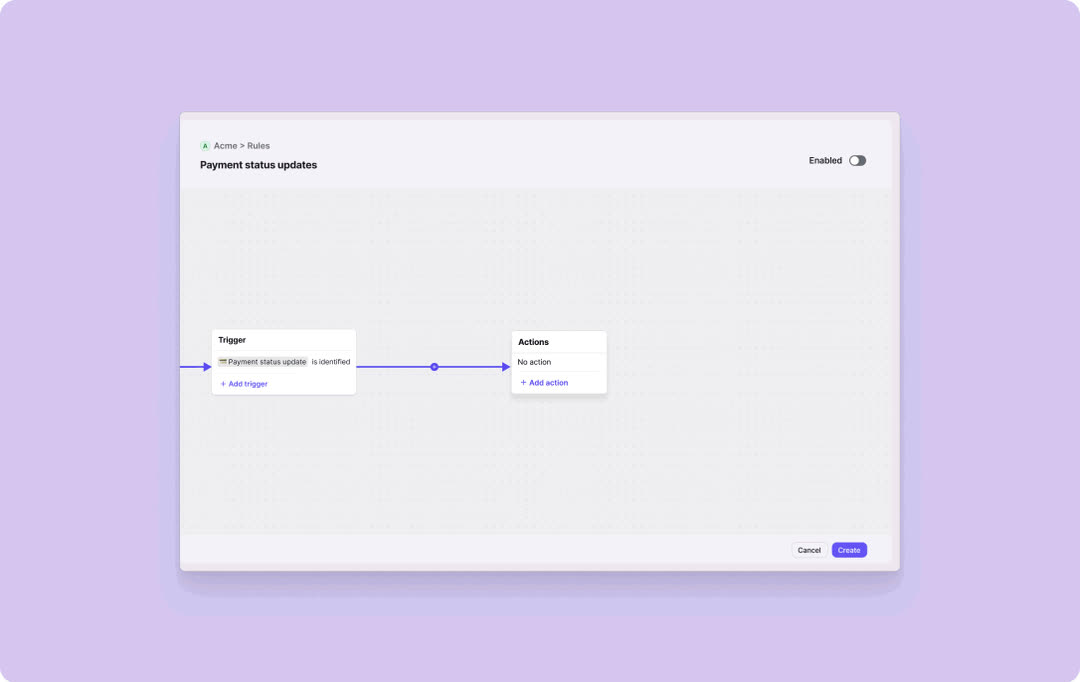
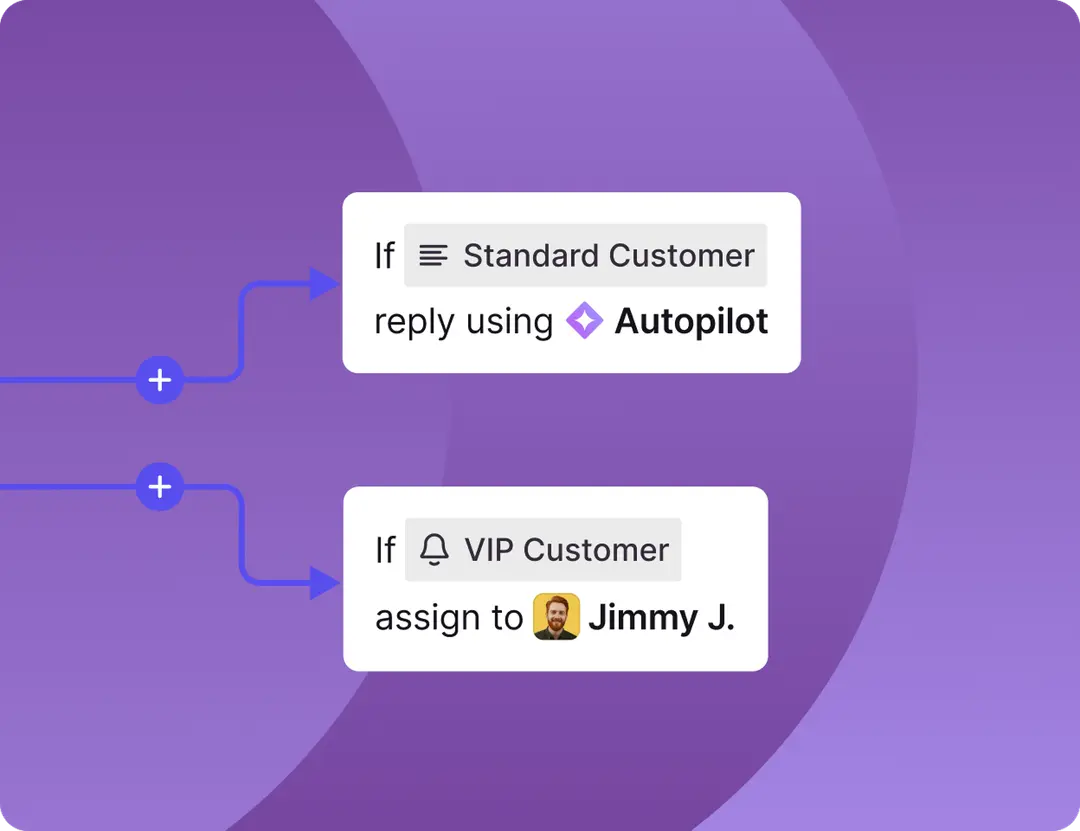
Email Actions: Automate your inbox workflow

Join +10,000 teams

Your assistant for

Upload your custom data, connect your inbox, and get organized emails with replies crafted to match your tone

No code required

GmailZendeskOutlook

Boost Email Productivity

AI Email Assistant That Gets You One Hour Back Per Day

InboxPilot is the most advanced AI email writing agent that handles repetitive emails, reduces inbox clutter, and boosts your productivity—all on your existing tools.

Smart Prompting

Smart Prompting

Give clear instructions to your AI assistant, and it will generate perfect draft responses. Train it with your tone, style, and knowledge base for consistent, on-brand communication.

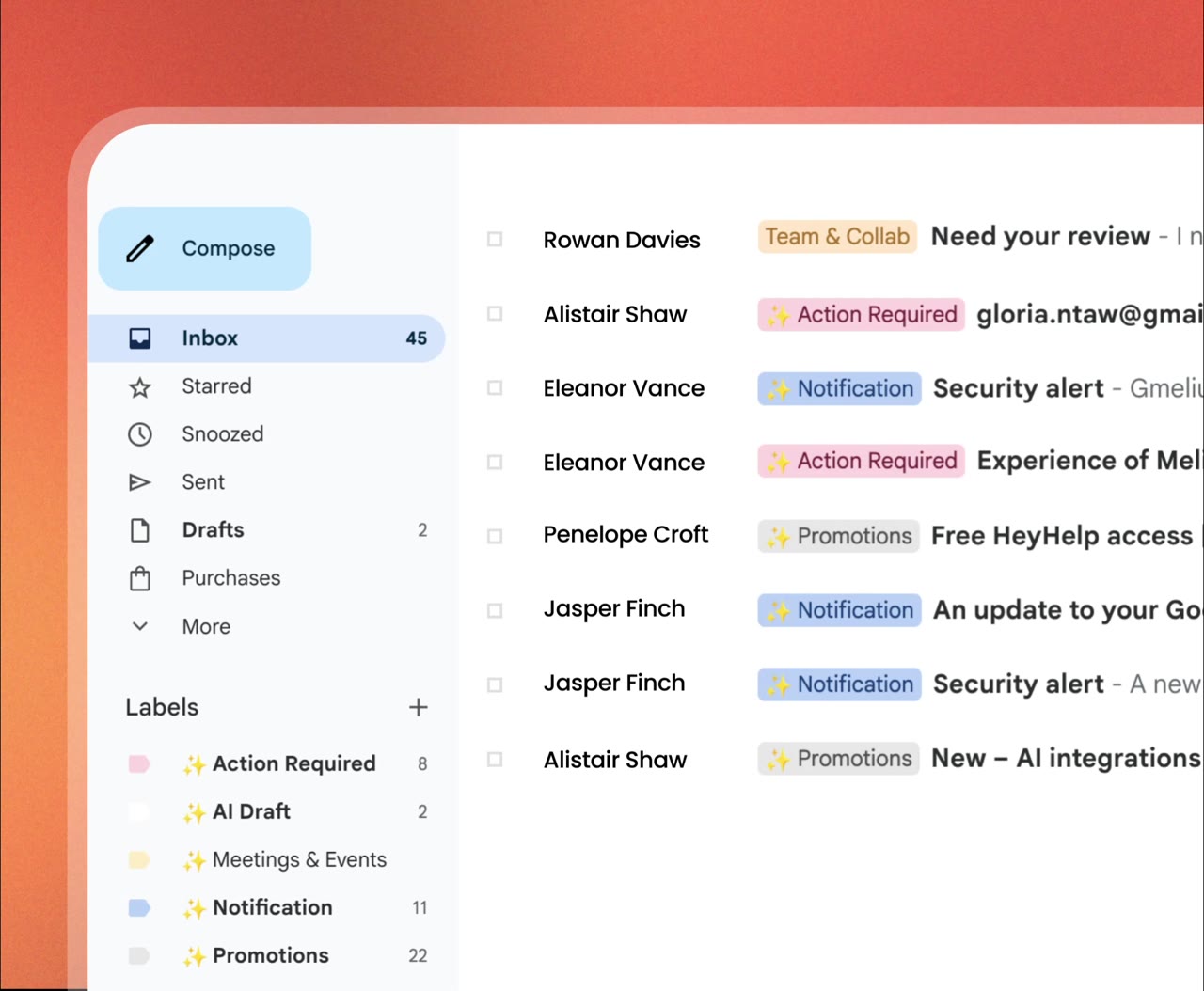
Intelligent Labeling

Intelligent Labeling

Automatically organize and categorize your emails with AI-powered labeling. Reduce inbox clutter and find what you need instantly, keeping your workflow organized and efficient.

Custom Knowledge Base

Custom Knowledge Base

Create custom responses based on your own knowledge base and templates. Handle repetitive emails effortlessly and maintain consistency across all your communications.

Get Time Back

Get Time Back

Stop wasting time on repetitive emails. Boost your email productivity and get back one hour per day by automating responses to common questions and routine correspondence.

Simple, Transparent Pricing

Choose the perfect plan for your business needs

Start free, upgrade anytime. No hidden fees, cancel anytime.

Free

Get started with AI email automation

$0Forever

Perfect for trying out InboxPilot

  • ✓ 15 emails per month
  • ✓ 1 inbox
  • ✓ Email Actions
  • ✓ Train with your data
  • ✓ Basic AI features
Get Started Free

Hobby

For personal email automation

$29/month

Most popular for individuals

  • ✓ 200 emails per month
  • ✓ 2 inboxes
  • ✓ Email Actions
  • ✓ Writes replies in your voice
  • ✓ Unlimited team members
Get Started Free
Most Popular

Standard

For growing businesses

$149/month

Best for small teams

  • ✓ 1,500 emails per month
  • ✓ Unlimited inboxes
  • ✓ Email Actions
  • ✓ Remove InboxPilot branding
  • ✓ Advanced AI features
Get Started Free

Pro

For large organizations

$499/month

Everything you need at scale

  • ✓ 12,000 emails per month
  • ✓ Unlimited everything
  • ✓ Priority support
  • ✓ Custom integrations
  • ✓ Advanced analytics
  • ✓ Custom knowledge base for each user
Get Started Free

Trusted by businesses worldwide

Enterprise-grade security and reliability

Your data is protected with enterprise-grade security and encryption. Start with our free plan and scale as you grow.

Start using the most affordable AI email writing agent today and automate 80% of your tickets

Get set up in minutes, no developers required.

Frequently Asked Questions

How reliable are InboxPilot's email responses?

In auto-reply mode, every response has a confidence score. If it falls below our threshold, the email is escalated to you or your team instead of being sent. In draft mode, the threshold is lower so you can review more suggestions before sending. You stay in control.

Does InboxPilot have access to my whole email account?

No. We only access the threads and messages needed to generate a reply. We don't read, store, or share your personal or sensitive data. Only encrypted response data is stored for your account, and we don't use your data for anything outside of serving your email automation.

Is my email data safe? Who can read it?

No human reads your emails. Data is encrypted in transit and at rest. We follow strict security practices and don't store or share your email contents. Only you have access to your inbox and the responses InboxPilot generates.

How secure is data from my integrations (Gmail, Outlook, Zendesk)?

All data from integrations is stored in isolated containers and encrypted at rest (AES-256) and in transit. We don't use your data for AI training or any purpose other than powering your InboxPilot account and supporting you when you ask.

What is an AI agent in InboxPilot?

An AI agent is a system that understands natural language and answers based on the information it's given. InboxPilot lets you build an AI that knows your business: you upload documents, FAQs, and content, and it learns from that to reply to emails in your voice and with your facts.

How is InboxPilot different from ChatGPT?

ChatGPT can't access your company's private data, so it can't answer accurately about your products or processes. InboxPilot combines similar AI capability with your own knowledge base—documents, FAQs, templates, and optionally a scan of your sent emails—so replies are accurate and on-brand.

How does handover to a human work?

Most conversations can be handled by the AI. When a question is unclear, sensitive, or beyond what the AI can answer confidently, the system can escalate so the customer can "talk to a person." The handover happens inside your existing tool (e.g. Gmail or Zendesk), and your team takes over from there.

Is my data used to train AI models?

No. Your data is never used to train external or public AI models.

When does the AI stop replying to an email thread?

The AI keeps replying while the conversation is relevant and within its capabilities. It may stop if the thread naturally concludes, if the request needs a human, or if you reply yourself—so you don't get duplicate responses.

Are there extra costs or hidden limits?

Pricing is based only on the plan you choose. Each plan includes a monthly email allowance that resets on the first of each month. There are no hidden fees for normal use within your plan.

How does InboxPilot generate email replies?

When a new email arrives, our system uses the content of the thread and the knowledge you've added (FAQs, templates, website, documents, and optionally what we learned from scanning your sent emails). The AI generates a reply that matches your tone and uses your business information. You can use draft mode to review before sending or auto-send for full automation.

Does InboxPilot support multiple languages?

Yes. The system can process and reply in multiple languages. If an email comes in another language, the reply is generated in that same language. For very specialized language needs, a human can step in.

Does the AI keep context across the whole email thread?

Yes. InboxPilot uses the full thread context—previous messages and your knowledge base—to keep the conversation coherent and avoid repeating or contradicting earlier answers.

When does the system escalate an email to a human?

We escalate when we detect sensitive or complex issues, unclear requests, negative sentiment, or topics outside the AI's knowledge. We also escalate if the confidence score is too low, if the customer asks to speak to someone, or if we can't find a good answer. A team member can then review and respond.

How do I connect my website form to InboxPilot?

Connect the email account that receives your form submissions (e.g. Gmail or Outlook) in InboxPilot. In the Connect Email setup, under optional reply-only keywords, add words or phrases that appear in those emails (e.g. "Contact Form" or "Support Request"). InboxPilot will then recognize form submissions and respond using your Knowledge Center and settings.

What is "Learn from my email" and inbox scanning?

InboxPilot can scan your connected inbox (and sent folder) to learn your reply tone, style, and business context. From that scan we derive things like suggested templates and FAQs only when we see clear patterns—we don't invent data. This reduces how much you need to upload manually. You can run a scan from the Knowledge Center by selecting an inbox and using "Learn from my email."

Does inbox scanning run automatically? How long does it take?

When an inbox is first used or when you trigger "Learn from my email," we build that inbox's knowledge in the background. This can take up to a few minutes (sometimes up to 5). You can leave the page—when you come back to the Knowledge Center and select that inbox, the tabs will show the data once it's ready. We'll show a "Scanning this inbox" message until the build is complete.